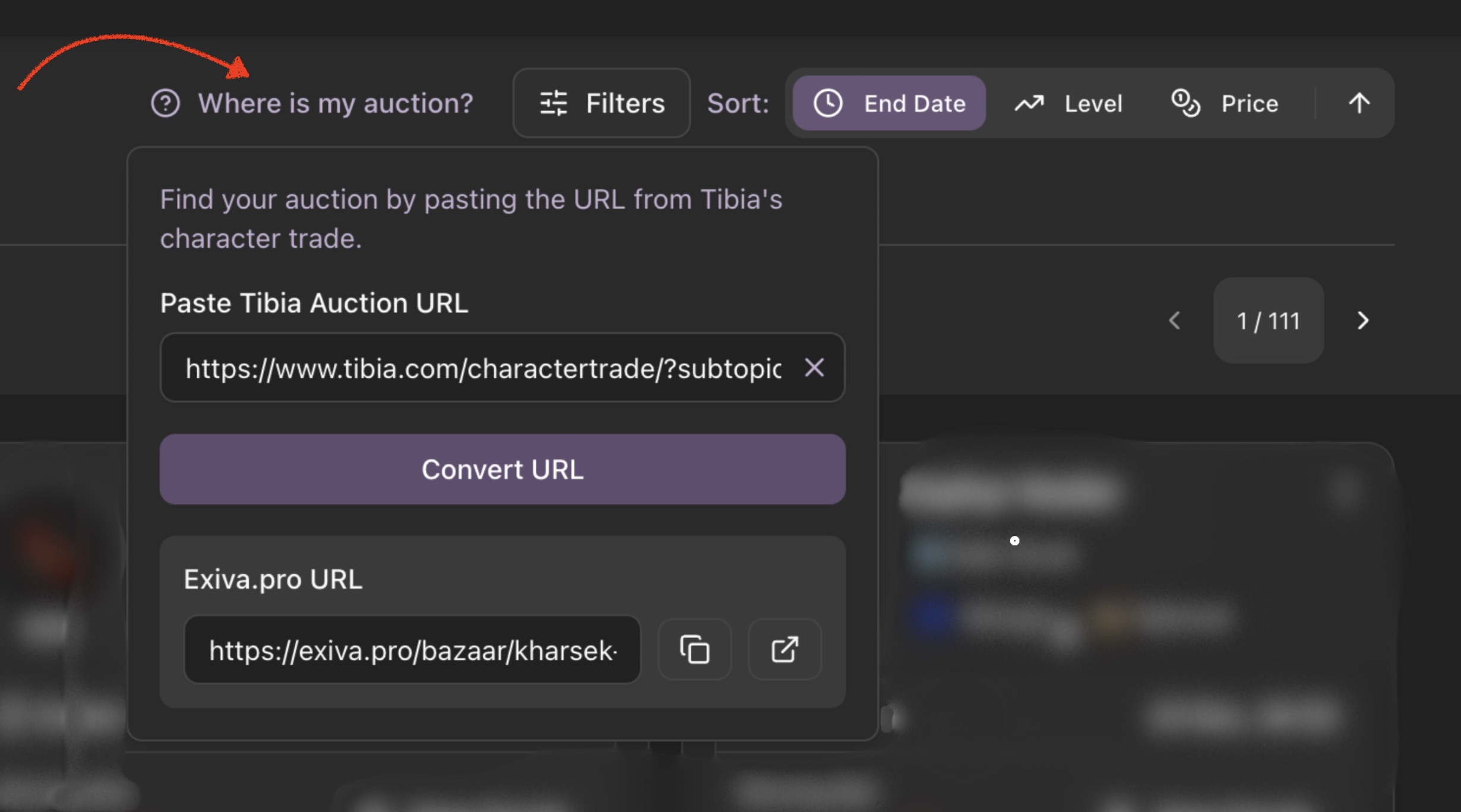
The Tab-Switching Nightmare We All Know
You're hunting for your next character and you've found three promising auctions:
- Level 520 Knight with great skills but high bid
- Level 480 Knight with decent skills and fair price
- Level 550 Knight with amazing gear but huge price tag
So you start the dance:
- Open Knight #1 in one tab
- Open Knight #2 in another tab
- Open Knight #3 in a third tab
- Click back to tab 1 to check skills
- Click to tab 2 to compare magic level
- Click to tab 3 to see outfits
- Wait, what was the price on #1 again?
- Click back to tab 1...
- Click to tab 2...
- Click to tab 3...
Sound familiar? We've all wasted countless hours playing this tab-switching game, trying to keep all those details straight in our heads. And let's be honest - we still miss important differences.
What Are We Really Trying to Compare?
When you're looking at multiple characters, you want to see:
- Level & Vocation - The basics
- Skills - Magic, distance, sword, etc.
- Equipment - Weapons, armor, charms
- Price - Current bid and minimum
- Time left - Before the auction ends
- Special features - Mounts, outfits, charms
But with tabs, you're constantly forgetting details. Was it the 520 or the 480 with the better magic level? Which one had more charm points? Did the expensive one really have enough extras to justify the price?
Compare Smarter, Not Harder
What if you could see everything side-by-side in one clean view? No more tab switching, no more forgetting details.
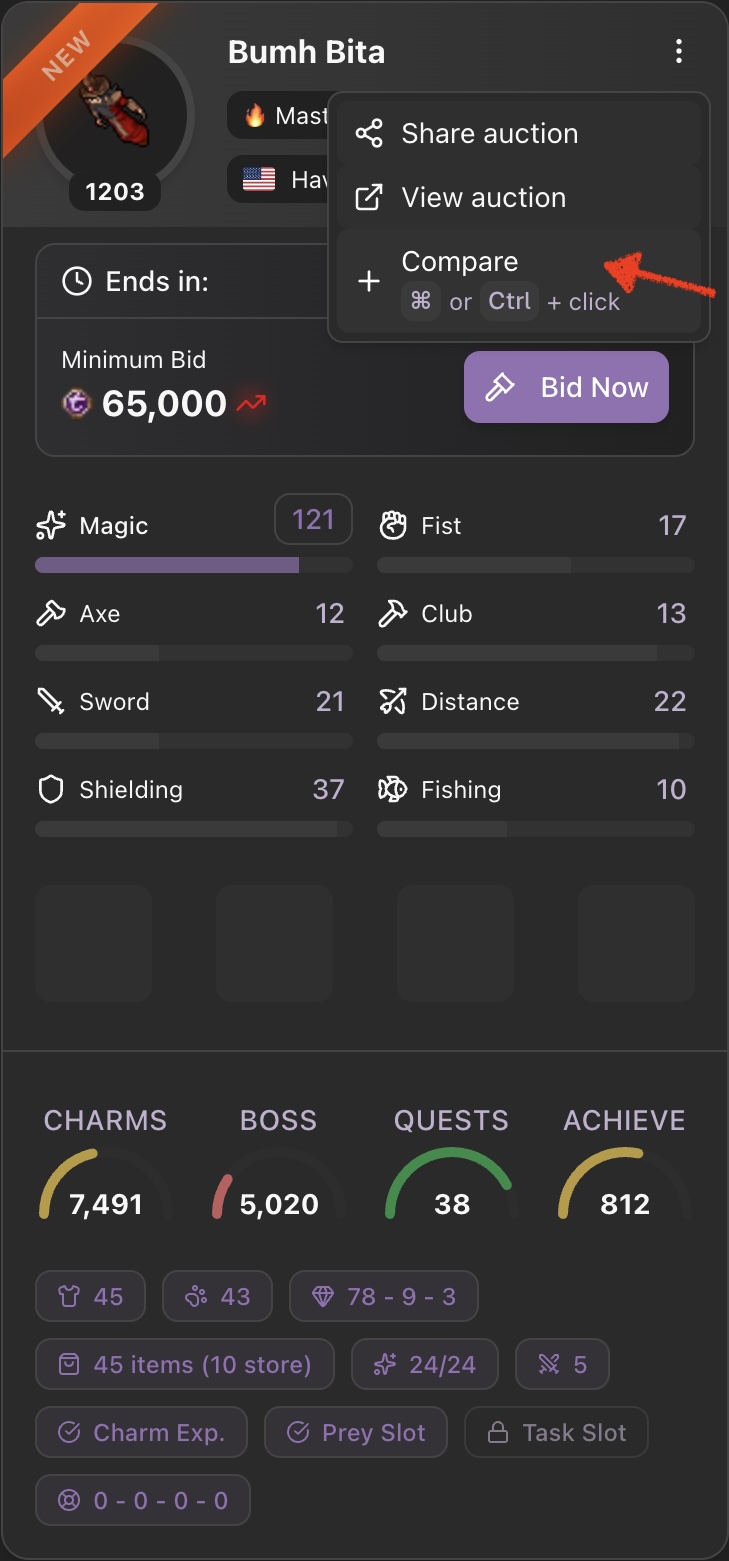
Just hit "Compare" on any auction, then add more to compare. Instantly you see:
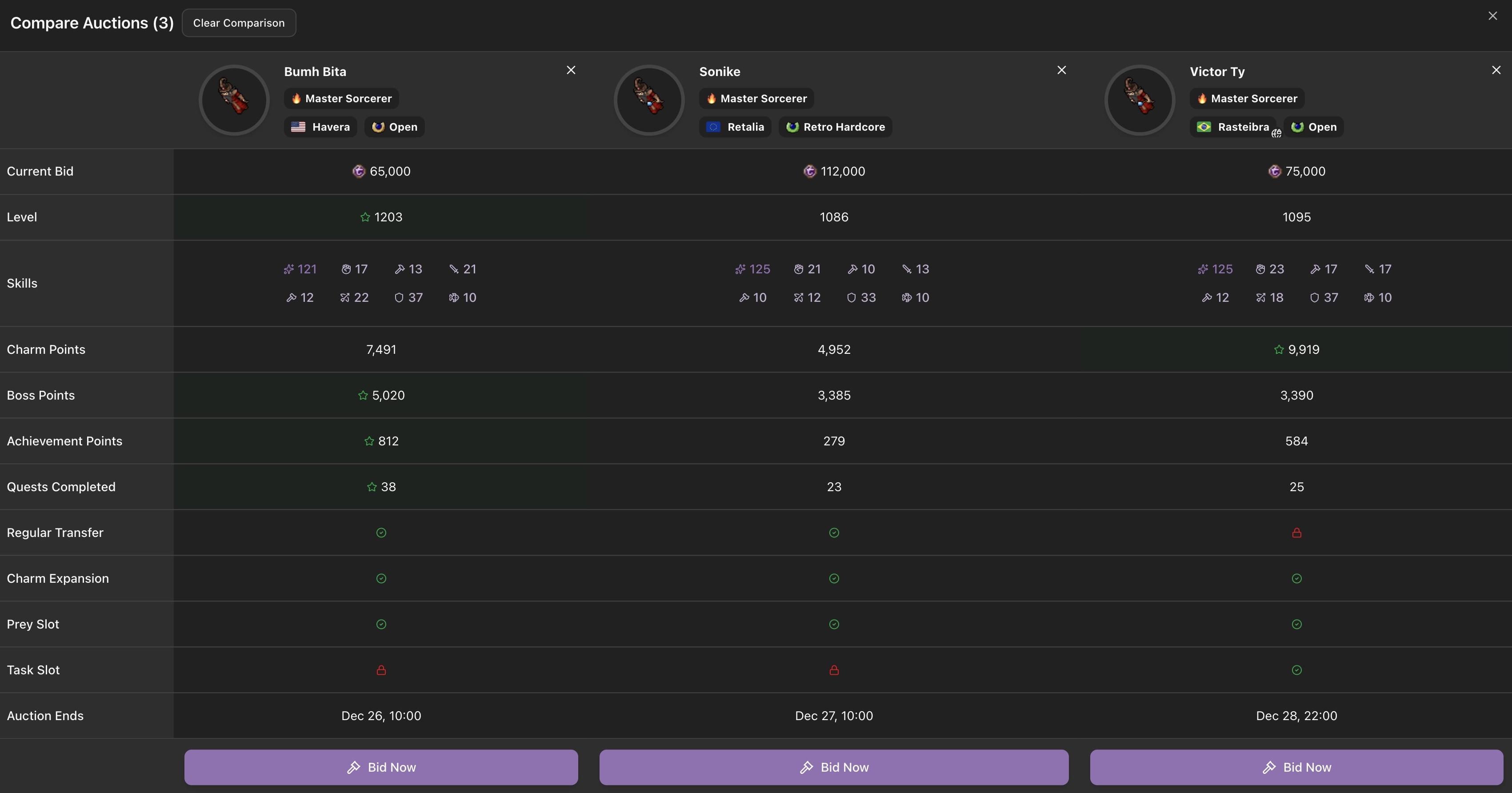
The Compare Table in Action
All Key Stats in One View:
- Current bid or minimum bid in TC
- Character level with star for highest
- All skills (magic, distance, fighting, shielding)
- Charm points, boss points, achievement points
- Number of quests completed
- Regular transfer availability
- Charm expansion, prey slot, task slot status
- Auction end date
Smart Highlights:
- Best values get a green star and background highlight
- Green checkmarks for available features
- Red lock icons for missing features
- Side-by-side comparison in a clean table
Easy Management:
- Compare up to 5 auctions at once
- Remove individual auctions with one click
- Clear all comparisons at once
- Share comparison link with others
Real Example: Finding the Best Sorcerer
Let's say you're comparing three sorcerers:
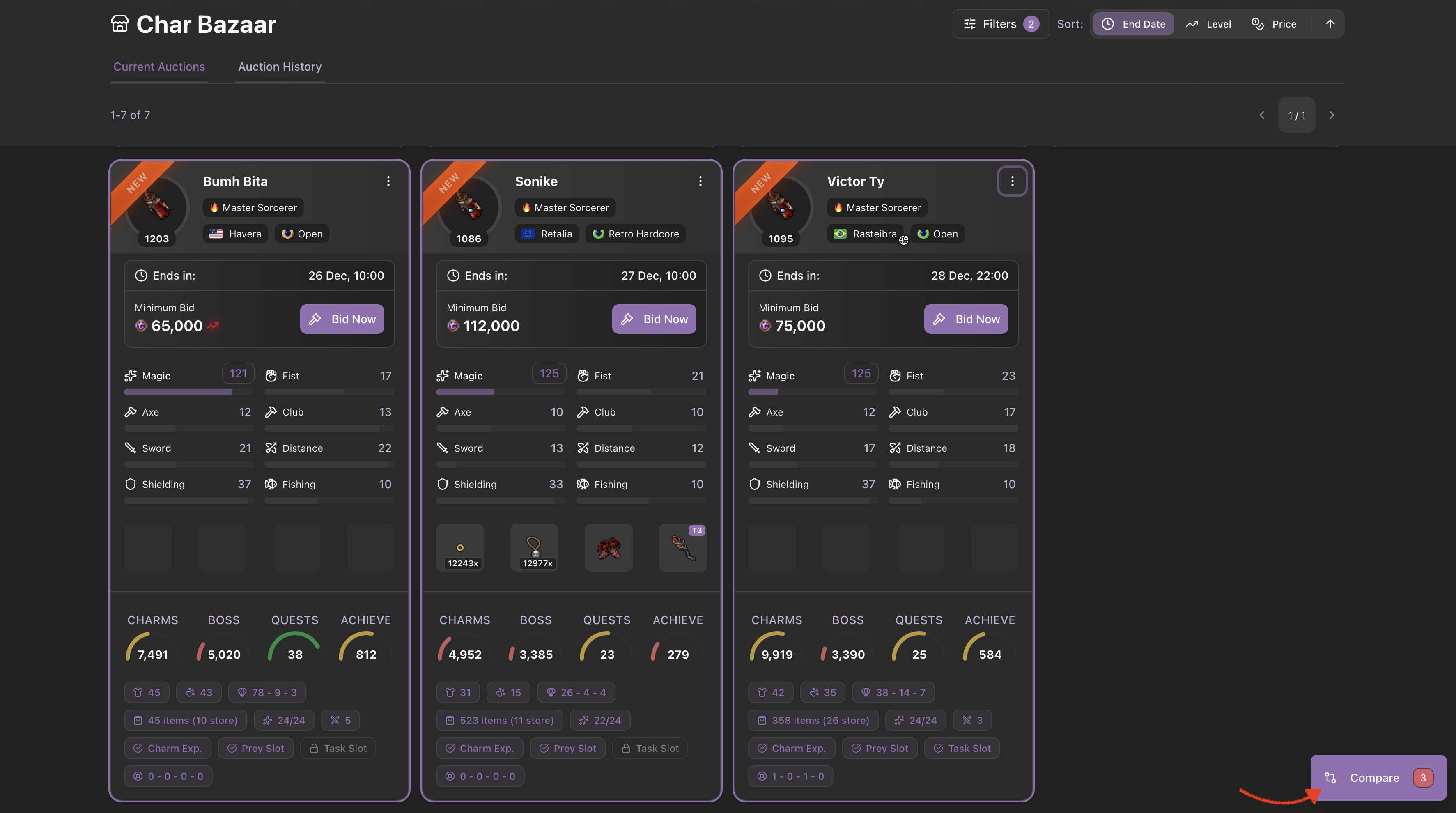
Instantly You See:
- Sorcerer #1: Highest level (green star) but not the highest charm points
- Sorcerer #2: Great magic level, regular transfer available
- Sorcerer #3: Best charm points but ~100 levels less than the Sorcerer #1
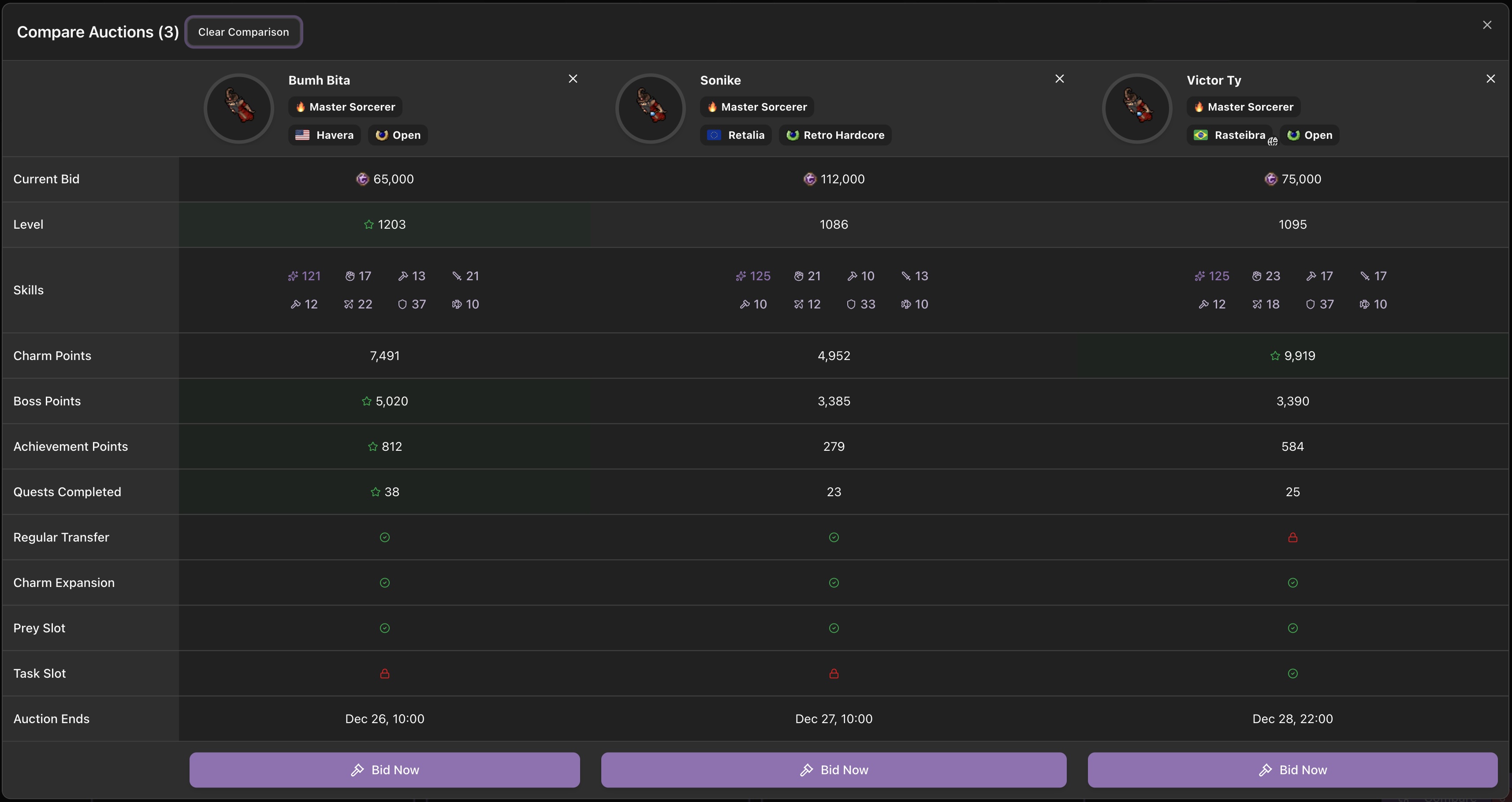
Without clicking a single tab, you know Sorcerer #1 offers the best value. That decision took 30 seconds instead of 30 minutes of tab switching.
The Time-Saving Reality
Before Compare Feature:
- 5-10 minutes per auction to analyze properly
- Constant tab switching (frustrating!)
- Forgetting important details
- Making decisions based on incomplete info
- Wasting 30-60 minutes for serious comparisons
With Compare Feature:
- All info visible at once
- Instant highlighting of best values
- No forgotten details
- Clear decisions in minutes
- Save 25-55 minutes per comparison
That's not just time saved - that's frustration avoided and better decisions made.
How to Use Compare Like a Pro
Step 1: Start Comparing
Click "Compare" on any interesting auction you see.
Step 2: Add More Characters
Keep browsing and click "Compare" on others. They'll automatically join your comparison.
Step 3: Analyze Side-by-Side
- Look for green stars (best values)
- Check what matters most to you
- Compare bids, levels, skills, and features
- Click character names to view full details
Step 4: Make Your Choice
Click "Bid Now" or "View Details" on your chosen character, or remove auctions to narrow down your options.
Pro Tips:
- Compare up to 5 at once - Maximum limit for clarity
- Focus on your priorities - Look for stars on metrics that matter to you
- Watch the end dates - Auctions ending soon need quick decisions
- Share with friends - Send the comparison link for advice
- Mix current and history - Compare active auctions with past sales to see fair prices
The Real Benefit: Confidence in Your Choice
With the compare feature, you're not just saving time - you're making better decisions:
✅ See everything at once - No more forgotten details
✅ Spot the best value instantly - Green stars show winners
✅ Avoid bad deals - Overpriced characters stand out
✅ Save hours of frustration - No tab switching madness
✅ Bid with confidence - Know you've done proper research
Stop Playing the Tab Game
Your next character is out there. Don't waste an hour playing tab-switching roulette just to make a decision.
Use Compare. See everything clearly. Choose wisely.
Happy comparing! 🎯